Homepage Axence
Wcag tools
Image

Everyone needs help.
Even you.

Get your free licence for Axence ConnectPro® without providing your card details

You know how it is: requests are piling up, every case is urgent, and everything is happening at once. You have to help everyone. But who will help you?

ConnectPro. Your personal support system.

  • Remote access. Immediately.
  • Tickets, organised.
  • Communication, automated.

The benefits of on-premises and cloud solutions combined to support you effectively.

Image
Image

ConnectPro
Your trusty assistant!

Get a free license
and enjoy full functionality regardless of the size of your organization
and - consequently - your IT support needs.

Compare the approach

More than remote desktop. Complete support in one place.

Area
Comprehensive approach Axence ConnectPro®
Standard approach Typical remote access solutions
Comprehensive remote support
Axence ConnectPro®

The entire process in one system – from ticket submission and communication to diagnostics, remote access, and resolution.

Typical solutions

Primarily the remote connection itself. Tickets, communication, and diagnostics require additional tools.

Control over data and connections
Axence ConnectPro®

Data remains on-premises. LAN and intranet traffic stays within the organization’s infrastructure, while Cloud Relay securely connects off-network devices.

Typical solutions

The provider’s cloud by default. Self-hosted or enterprise options are often limited to higher-priced plans.

Tools for administrators
Axence ConnectPro®

Administration from one place: diagnostics, files, processes, registry, commands, and PowerShell scripts.

Typical solutions

Features are fragmented across modules, add-ons, or higher-tier plans.

Access to the full feature set
Axence ConnectPro®

Key features in every plan – no additional modules required.

Typical solutions

Features split across plans, paid add-ons, or separate products.

Licensing
Axence ConnectPro®

12 months free – no card required and no automatic renewal.

Typical solutions

Common limits and extra fees, automatic renewals, and less transparent cancellation terms.

That's why ConnectPro is a good choice!

Image

A brand you can rely on!

We have been working with and for administrators for over 20 years. Every day, we serve over 3,500 customers worldwide. We are building a community of IT administrators – network masters. Relationships and trust are important to us. That is why we are taking the initiative and offering a new solution, because we know that those who help others on a daily basis need even better resources!

Image

A tool that gives you more possibilities!

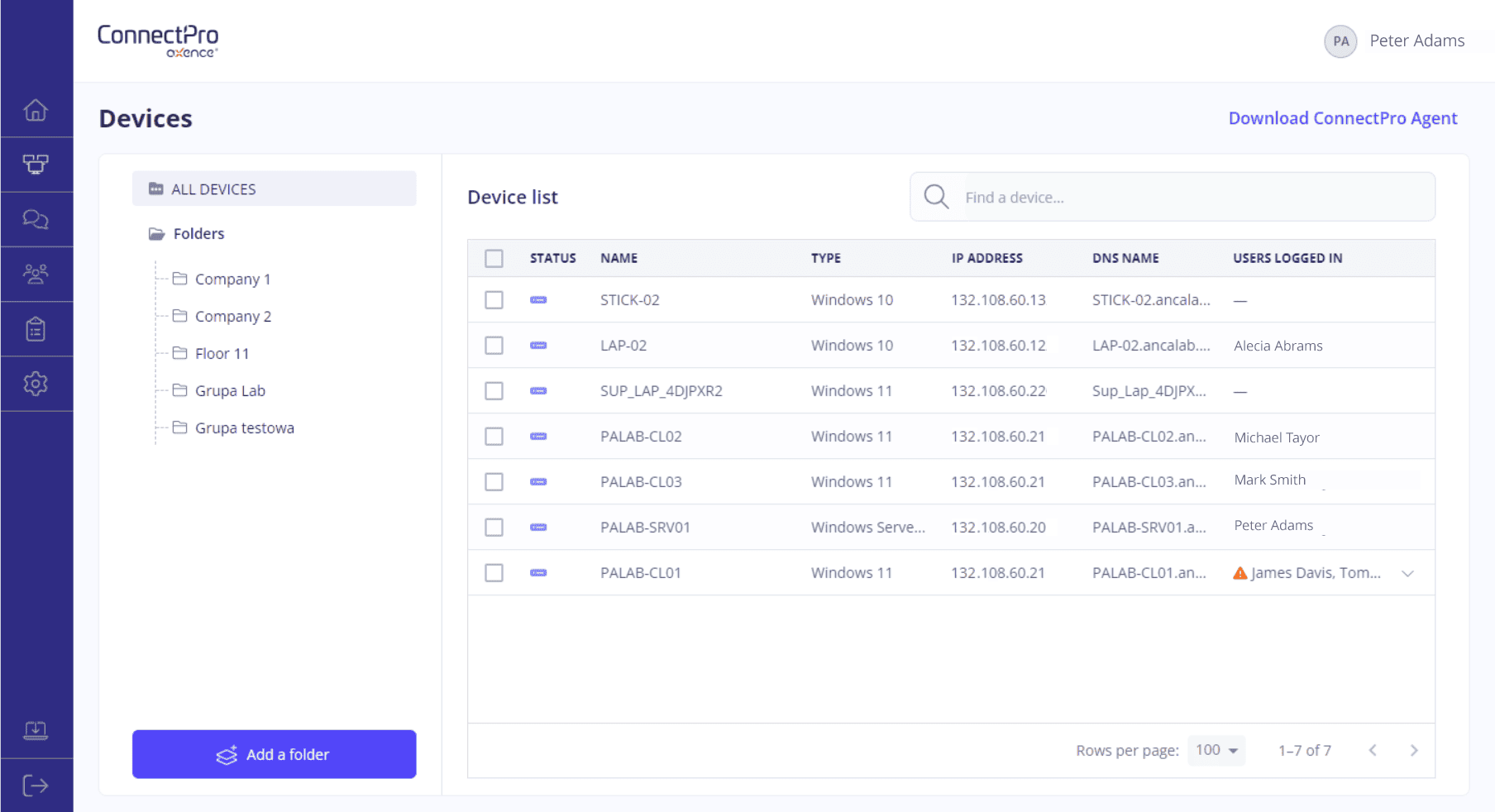
ConnectPro is a solution that combines the advantages of on-premises and cloud environments. Cloud Relay ensures that your data stays with you - not in a third-party provider’s cloud - while allowing you to establish connections outside your LAN in an instant. And all communication is end-to-end encrypted. ConnectPro allows you to diagnose and troubleshoot issues without taking over the user’s screen or interrupting their work. The PowerShell command line also helps you assist users.

Image

A proposal designed to help those who help!

We know what you deal with on a daily basis. That is why we offer our remote support solution free of charge for one year, with no restrictions on the number of administrators, workstations or connections. It's as simple as that. No tricks or hidden rules in the small print. You help users, we want to help you!

Image

And you help like a superhero!

It combines the advantages of the cloud and on-premises solutionsˬ

Thanks to the Cloud Relay solution, establishing connections with the console and agents outside the LAN is effortless and instantaneous, while at the same time eliminating the risks associated with data security in the cloud. Everything remains under your control.

One year free – no strings attachedˬ

You get a one-year licence completely free of charge. No catches, no workstation limits, no fine print and no credit card details required. Simply put: the full version of ConnectPro for your entire organisation.

Help when you need itˬ

Quick Help is a feature that allows you to rush to the aid of all users who do not have ConnectPro Agent on their workstation. Just generate a Quick Help Agent, send it to the user, and connect using a one-time code. Easy, fast, and effective.

Enjoy one year free!

Your one-year Axence ConnectPro® license is waiting for you!

Don't wait any longer and download your free license and see how easy remote support can be.

Download the installer and use for free

Not all heroes wear capes. Some of them help with Axence ConnectPro®!

  • Unlimited connections
  • Clear rules and a free annual subscription
  • Quick and easy communication
  • Access to hardware and software information
  • The software combines the benefits of the cloud and on-premises solutions, giving you a competitive edge.

Image

Tomasz Domalewski

Presales Consultant at Axence

ConnectPro is a simple and effective tool that you can rely on. Rapid remote assistance and access couldn't be simpler or more intuitive.ConnectPro is a simple and effective tool that you can rely on. Rapid remote assistance and access couldn't be simpler or more intuitive.

Any questions?

Great! Below you will find answers to the most frequently asked questions. However, if you have any other questions, please do not hesitate to contact us! We will answer any question you may have.

What is Axence ConnectPro®?

Axence ConnectPro® is a comprehensive remote IT support solution. It combines ticket management, user communication, device diagnostics, administrative tasks, and remote access into a single system. This allows administrators to handle the entire support process without having to switch between multiple tools.

Does Axence ConnectPro® run in the cloud or on-premises?

Axence ConnectPro® combines the advantages of both models. The system’s main components run on-premises within the organization’s environment, while Cloud Relay provides a secure communication layer that enables connections to devices located outside the local network.

The administrator retains the control typical of an on-premises solution while being able to conveniently support remote employees and users located in other locations.

What is Cloud Relay?

Cloud Relay is a cloud-based communication layer that facilitates connections between the Agent and the Management Console when a device is outside the local network.

Thanks to this feature, there’s no need to forward ports, run your own Relay server, or manually configure connection routes. The system automatically selects the appropriate communication method, allowing the administrator to get started faster.

Does Cloud Relay store the transmitted data?

No. Data is transmitted in encrypted form and is neither recorded nor stored by intermediaries. Cloud Relay is responsible for establishing communication between devices, while the transmitted information remains secured by end-to-end encryption.

Can ConnectPro be used exclusively on a local network?

Yes. Axence ConnectPro® can support devices located on an organization’s local network. Cloud Relay extends the system’s capabilities to include convenient connections to devices operating outside the LAN, but it does not replace the local operating model.

An organization can therefore use ConnectPro® in a way that aligns with its infrastructure and internal security policies.

Is ConnectPro used only for remote desktop access?

No. Remote desktop is just one component of the solution. An administrator can also view device information, analyze running processes, manage files, use the registry editor, execute PowerShell commands and scripts, and perform other administrative tasks.

This allows many issues to be resolved in the background, without taking over the desktop or interrupting the user’s work.

Does the user have to consent to a remote connection?

ConnectPro® allows you to customize how sessions are initiated to align with your organization’s policies. If user consent is required, the system can automatically prompt the user for permission before establishing the connection.

During a session, the administrator can also lock the mouse and keyboard or black out the screen if the nature of the work requires it.

Does ConnectPro® support computers with multiple monitors?

Yes. During a remote session, the administrator can manage devices equipped with multiple monitors. This facilitates troubleshooting and working in environments where users have complex workstations.

Is it possible to assist a user who does not have the Agent installed?

Yes. QuickHelp is used for this purpose. This feature allows for a one-time connection to a device that is not permanently managed by ConnectPro.

The administrator generates a QuickHelp file, sends it to the user, and then establishes a connection using a one-time code. This solution works well among other things for one-time support, servicing external clients, critical devices, or computers located outside the organization’s standard environment.

Does ConnectPro® allow you to manage user tickets?

Yes. Support tickets, communication with users, and technical actions are all managed within a single system. Administrators can organize tickets, exchange messages, send attachments, and collaborate across the entire IT department.

This ensures that information regarding an issue is not scattered across email, instant messengers, and separate remote access tools.

What types of organizations is Axence ConnectPro® designed for?

The solution is designed for IT administrators and teams supporting employees in the office, remotely, or across multiple locations. It works particularly well in organizations that handle a large volume of support tickets, want to reduce manual configurations, and need a single, organized environment for diagnosing and resolving issues.

Can ConnectPro be used by companies providing external IT support?

Yes. ConnectPro can support IT service providers and teams serving external users. The Permanent Agent enables the management of regularly supported devices, while QuickHelp allows for one-time sessions without a permanent Agent installation.

Is the free license limited by the number of devices or administrators?

The free annual license allows you to use ConnectPro regardless of the size of your organization. It imposes no limits on the number of administrators, supported workstations, or concurrent connections.

Do I need a credit card to use the free license?

No. Activating the free license does not require providing credit card information. The license also does not renew automatically at the end of the one-year period.

What happens after the free year ends?

After 12 months, your organization can decide whether to continue using Axence ConnectPro® on a commercial basis. The license will not be automatically renewed, so the decision to extend it is up to you.

Want to see what's included in the packages we offer? Go here.

Is it possible to switch from Axence ConnectPro® to Axence nVision®?

Yes. An organization that needs a broader scope of IT infrastructure management may consider switching to Axence nVision®. Migration details and the selection of the appropriate solution variant can be discussed with the Axence team.